
Introduction
AutoAI is a cross-platform desktop automation workbench for operations teams: use AI agents to write and fix automations, then run them as scripts for stable batch execution on browser, Android, and iOS.
There are many “AI controls the browser / phone” products on the market. Demos look impressive, but if you need long-running, multi-device, concurrent, cost-controlled operations, picking the wrong approach hurts. Below we clarify three generations of products, where AutoAI fits, and why it is worth choosing.
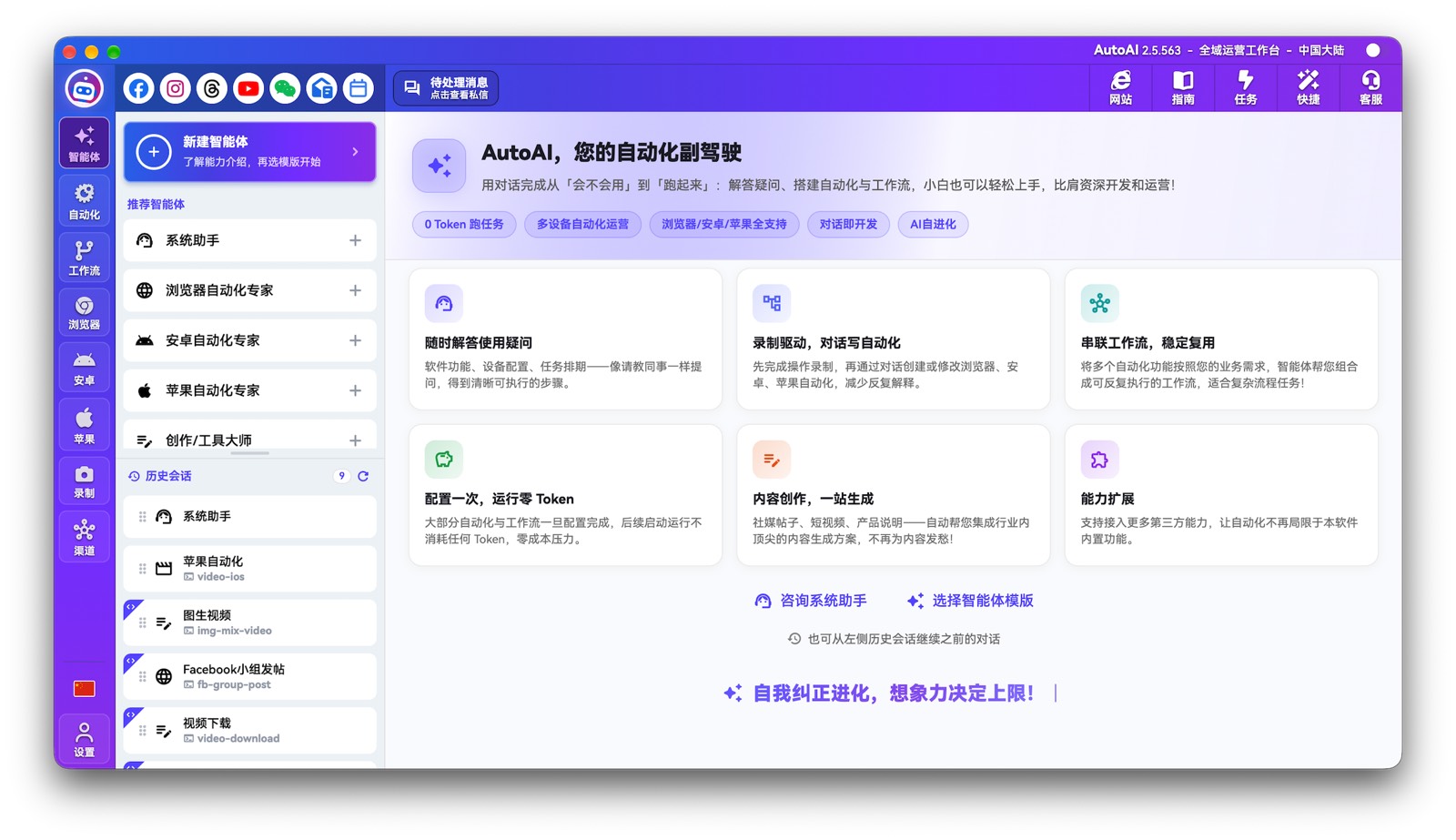
Automation on the market: three generations
| Generation | How it works | Typical form |
|---|---|---|
| Gen 1 | Humans write scripts ahead of time; scripts drive devices | Traditional multi-device RPA (e.g. early WhatsCRM / AI外贸通) |
| Gen 2 | AI thinks and controls in real time: reasons the next step, then sends action commands | Products like Browser Use—“AI live control” (MCP / Skill) |
| Gen 3 | AI writes / fixes scripts; at batch runtime AI stays out—pure script execution | AutoAI |
In one line:
- Gen 1: humans write scripts → scripts run
- Gen 2: AI thinks while controlling (every run burns compute)
- Gen 3: AI writes scripts → scripts run (near 0 Token at runtime)
Why Gen 2 is hard to scale
Gen 2 is fine for demos, exploration, and a few devices. Once you hit common trade / social scenarios—“hundreds of accounts, long-term concurrency”—you hit hard limits:
- Cost: every run consumes model compute; vision-heavy cases inflate bills fast
- Speed: heavily tied to model reasoning and API latency; peak hours struggle to keep up
- Stability: quality depends on the model; with a weaker model there is no floor
That is why many Gen 2 products have “high hype and star counts” but rarely become production systems at scale—today they often remain in a toy stage that cannot be rolled out widely.
Five dimensions for choosing
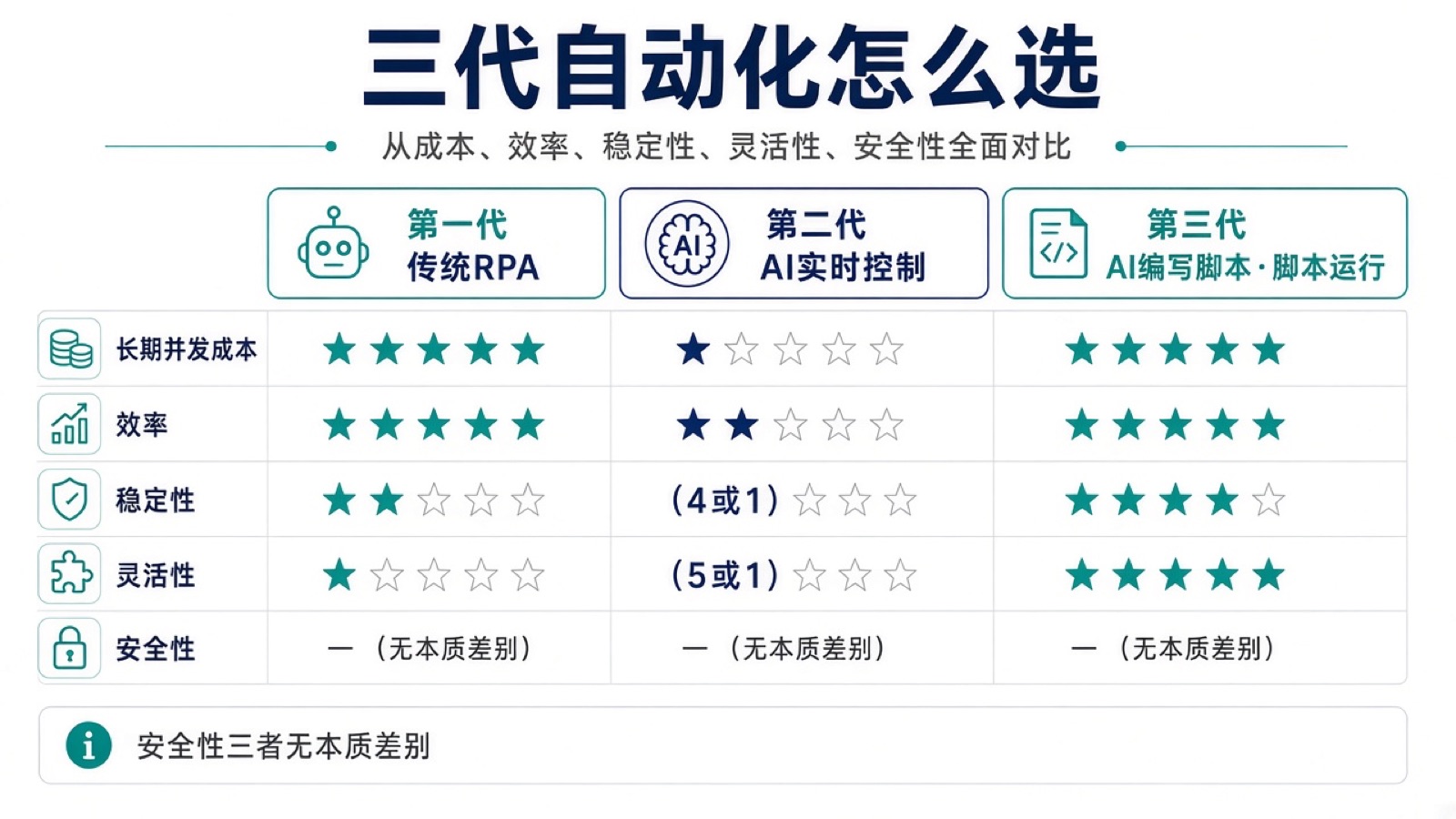
| Dimension | Gen 1 (classic RPA) | Gen 2 (AI live control) | Gen 3 (AutoAI) |
|---|---|---|---|
| Long-term multi-device concurrent cost | ★★★★★ Scripts run; almost no compute | ★ Every run burns compute; scale kills the budget | ★★★★★ Batch runs at 0 Token; one-time build cost is negligible |
| Efficiency | ★★★★★ Pure scripts, fast | ★★ Dragged by reasoning and API latency | ★★★★★ Runtime is also pure scripts |
| Stability | ★★ Breaks when versions change; needs manual fixes | ★★★★ or ★ (model-dependent) | ★★★★ AI can write / fix scripts; self-healing |
| Flexibility | ★ New features need custom development | ★★★★★ or ★ (also model-dependent) | ★★★★★ Record + chat; any script can be retained |
| Security | No essential difference across gens: all end in command-level device control—depends on network, device type, and permissions—not “safer because AI controls live” | Same as left | Same as left |
How to choose:
- Few demos, Token cost does not matter → Gen 2 is fine to try
- Long-term multi-account / multi-device with cost control → Gen 1 or Gen 3
- Low-cost stable runs and less manual development, with repair when UIs change → Gen 3
Why AutoAI is Gen 3
AutoAI combines Gen 1’s low cost and high efficiency with Gen 2’s high flexibility:
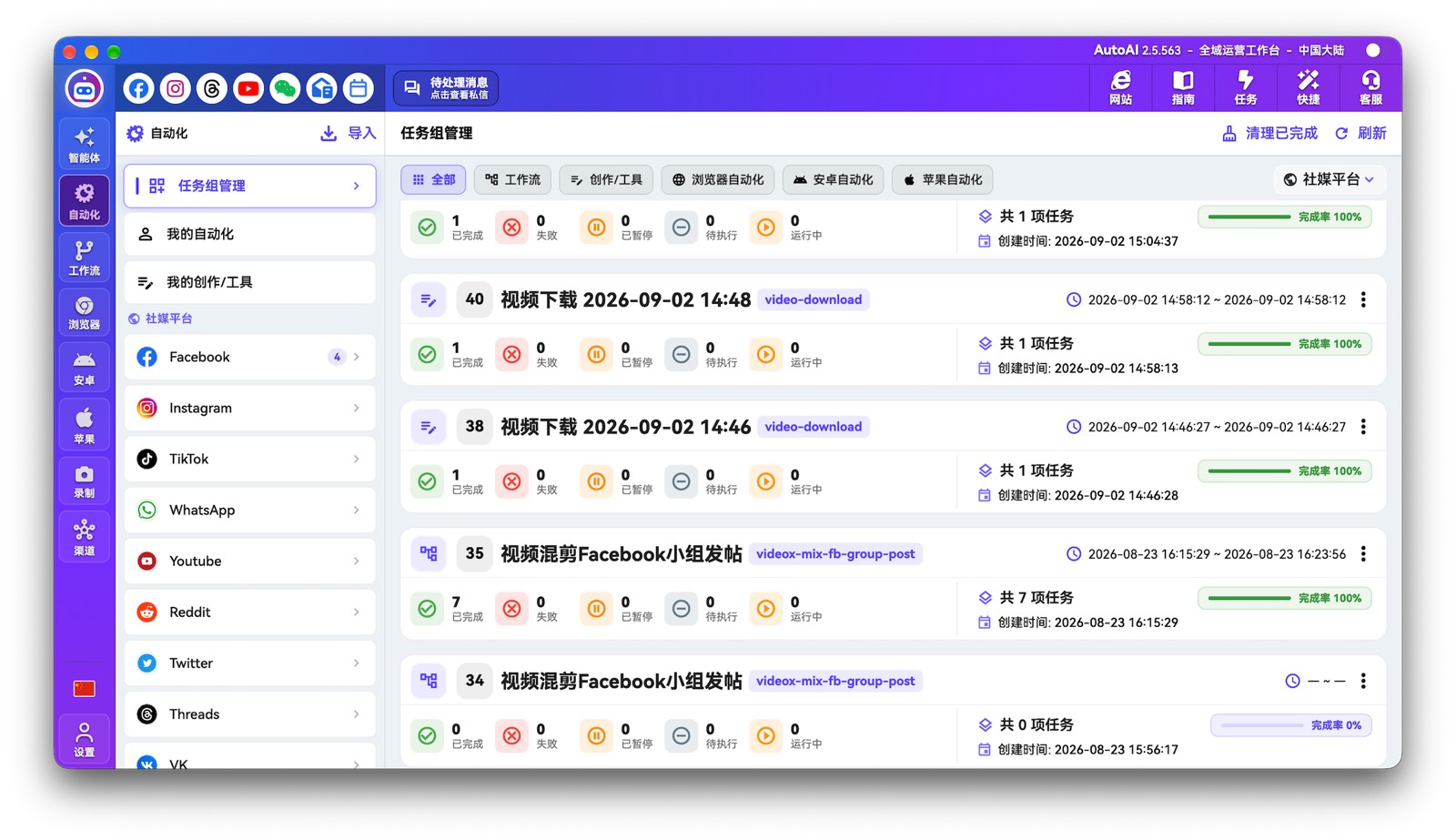
- AI builds and maintains: conversation / recording driven; auto write and fix RPA scripts
- Production runs on scripts: task groups batch-execute; target is near 0 Token
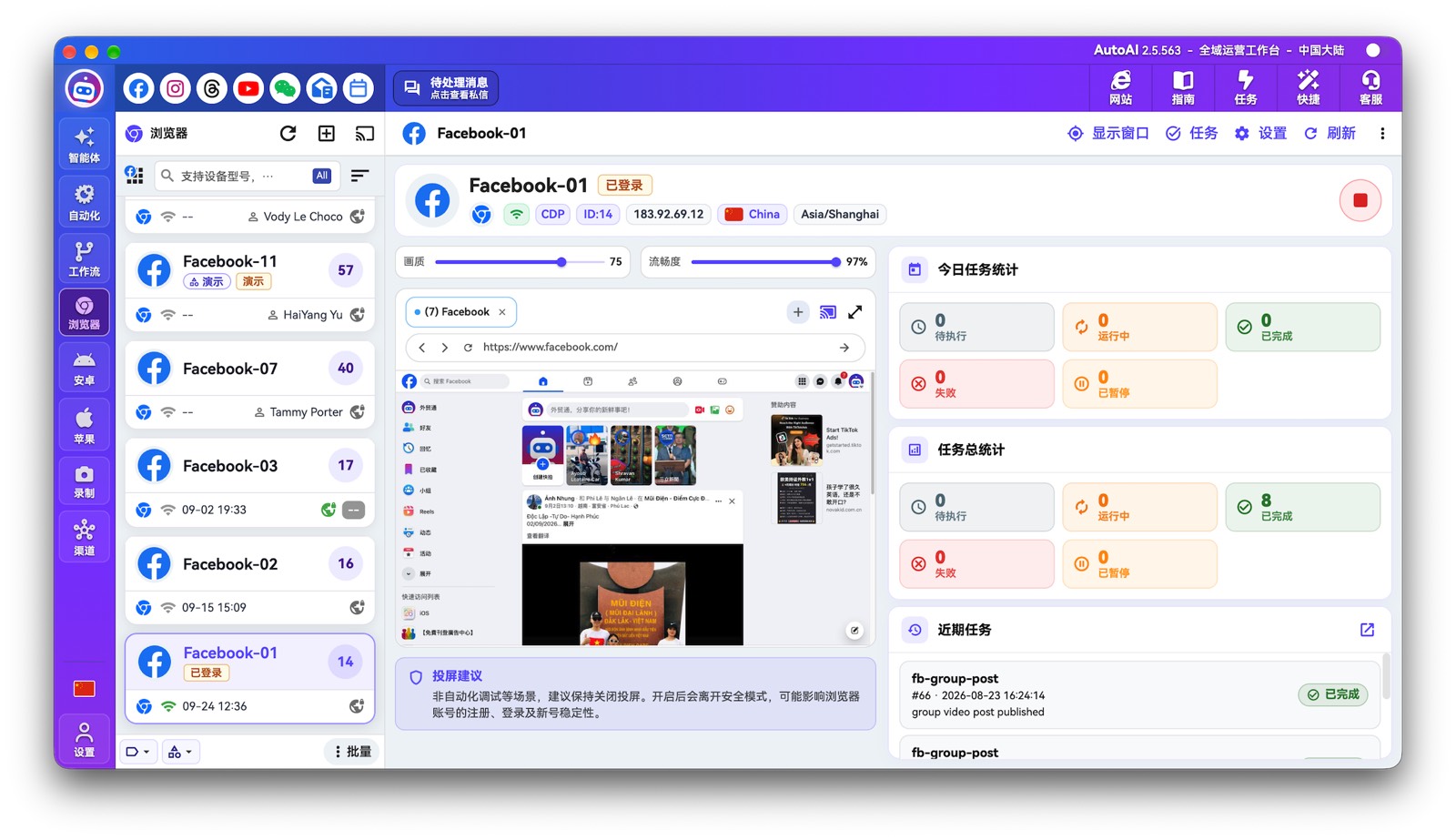
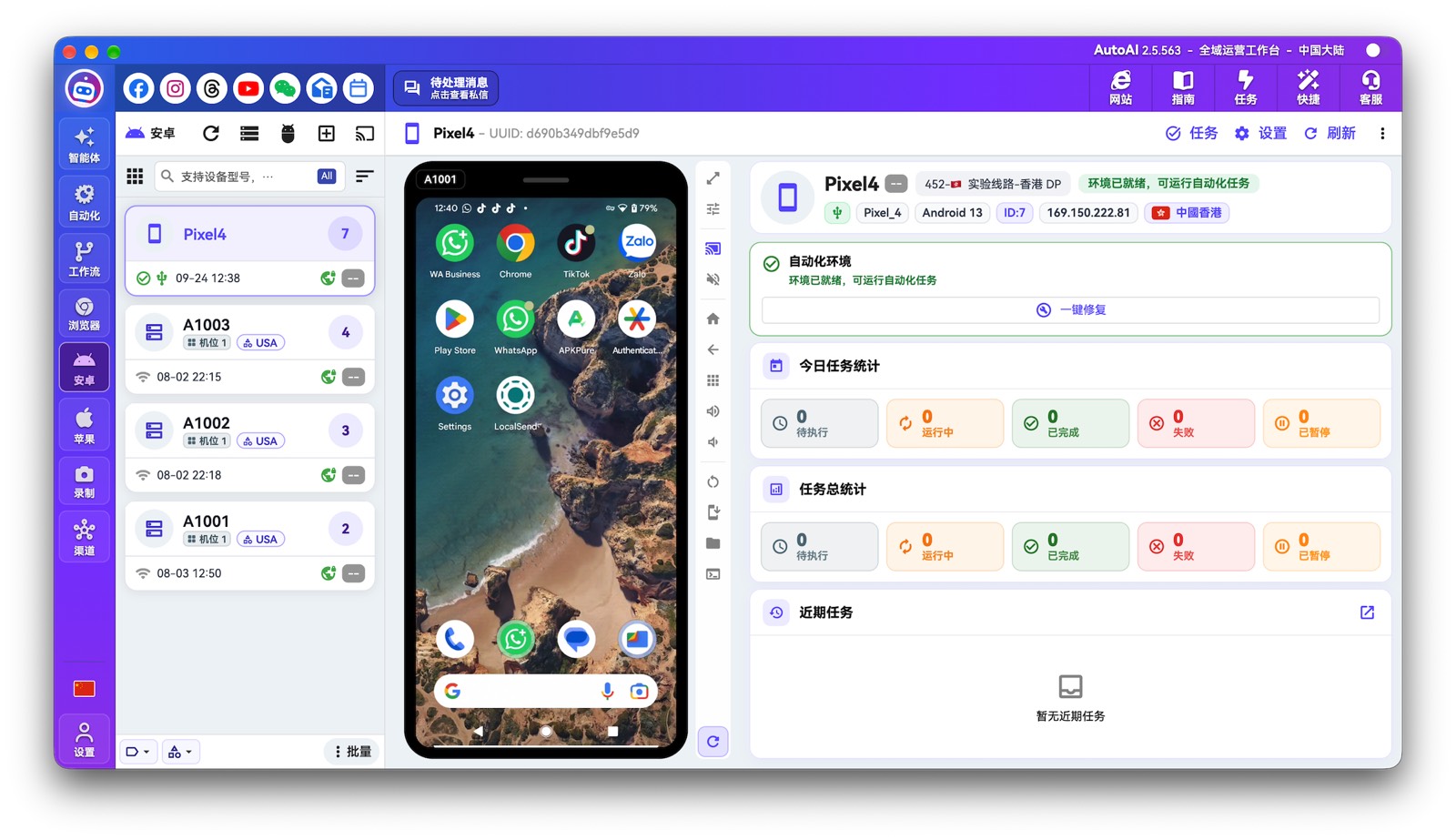
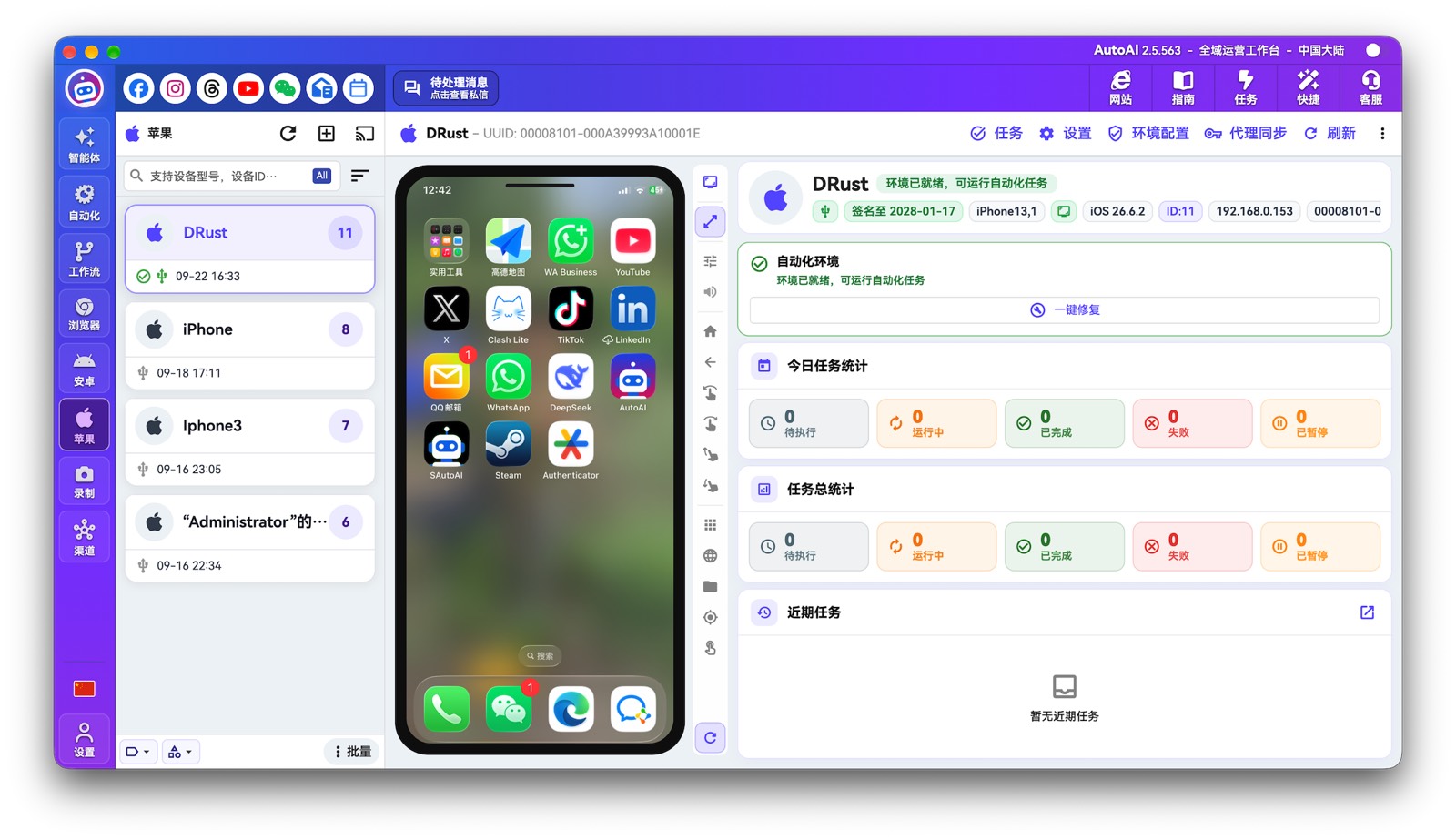
- Three platforms in one workbench: browser, Android, and iOS physical devices under the same scheduler
Core capabilities
- 📱 Three platforms: browser, Android, and iOS physical devices—direct connect, no jailbreak / root
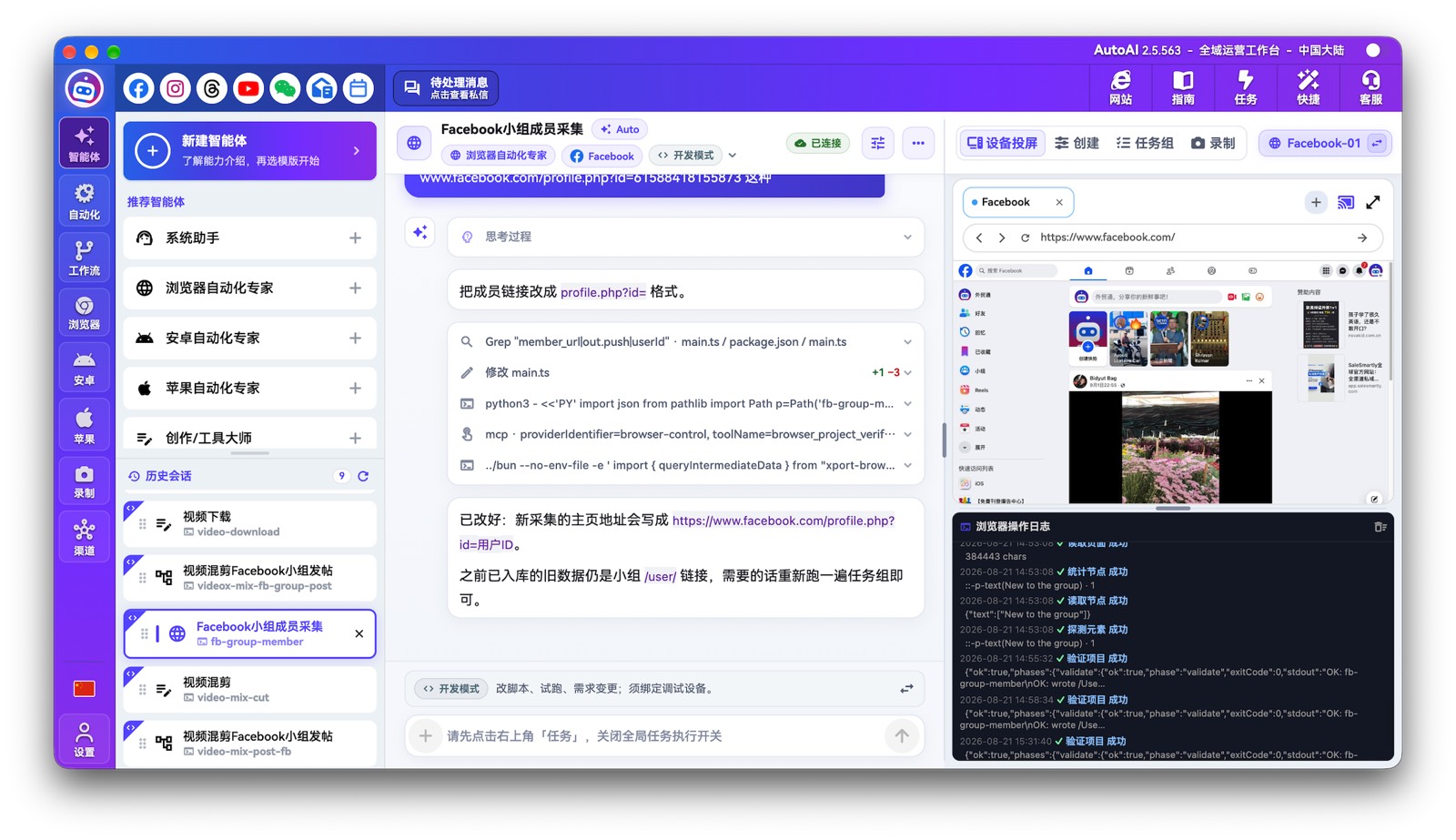
- 💬 Build by conversation: create and maintain automations through AI chat
- 💰 Low runtime cost: Tokens mainly for build and maintenance; production aims for near 0 Token
- 🎙 Recording + agents: record real operations, then generate runnable, reusable projects
- 🔁 Self-correcting evolution: when pages or apps change, return to the agent to repair and continue
- 🤖 Built-in assistant: answers product questions and can help operate the workbench
What you can automate (examples)
- Ecommerce listing and catalog operations (e.g. Amazon or Meta Commerce listings you are authorized to manage)
- Browser-based research helpers (e.g. collecting publicly available product information for comparison)
- Repeatable multi-account social pipelines (posting, collection, engagement—within your authorization and platform rules)
- Multi-step office pipelines with human approval when needed
AI is used to drive the same actions a human operator would take on devices and official APIs you connect—not to sell standalone “content generation” products.
Modules
- Browser automation: multi-profile browsers, visual debugging, and batch runs
- Android automation: physical / cloud devices and in-app flows
- iOS automation: no jailbreak; direct connection to physical devices
- Workflows: multi-step pipelines, human confirmation, batch retries
- Recording + agents: record real operations, then turn them into a runnable project
- Prepaid AI compute: top up USD balance and spend Tokens as you use agents (mainly for build and repair—not burned on every production run)