This feature is free
Facebook Page Mentions
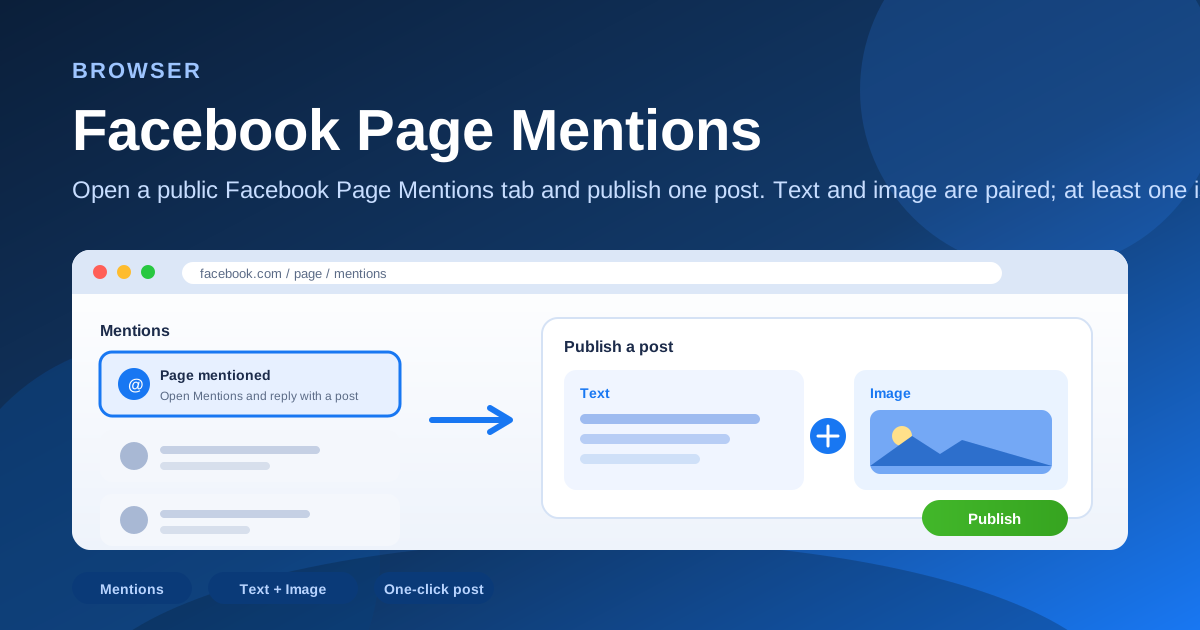
Open a public Facebook Page Mentions tab and publish one post. Text and image are paired; at least one is required.
Share
How it works
- Open the target public Facebook Page
- Go to the Mentions tab
- Fill paired text and/or image (at least one)
- Publish one post
Industry scenarios
- Beauty DTC Facebook: SKU photo + copy on Mentions
Brand social ops pair a SKU shot with short copy, then publish one Mentions-tab post to answer creator or buyer tags.
- Agency: client Page mention thank-you posts
Social agencies prep copy/images per client, open each public Page Mentions tab, and ship one thank-you post.
- Local cafe Facebook: daily guest-mention replies
Store managers use a menu photo or text-only input to post once on the cafe Page Mentions tab after guest check-ins.
- Shopify brand: influencer-mention drop post
Ecom ops pair drop creative with caption, then publish one Mentions-tab post on the brand’s public Facebook Page.